

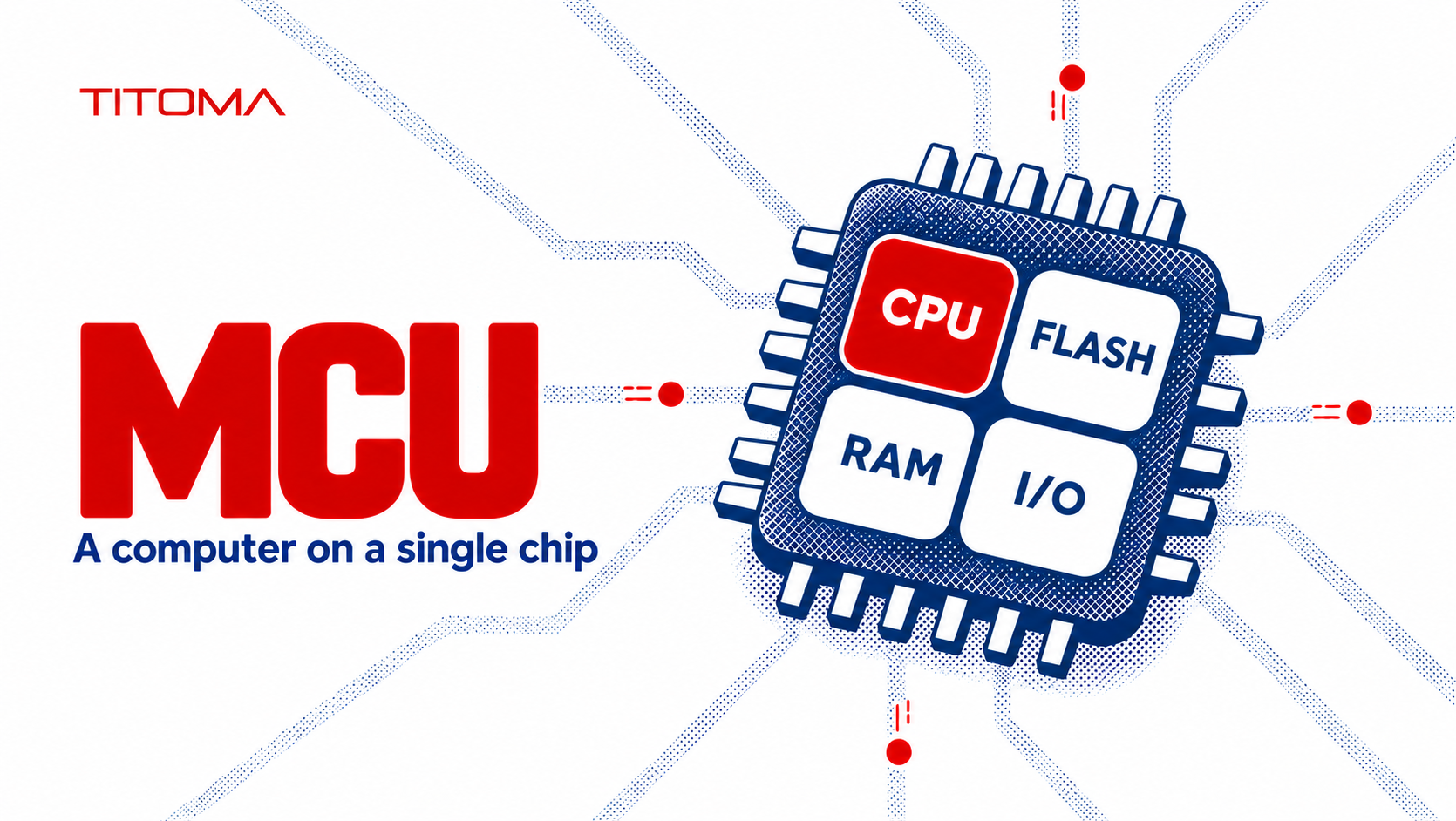
A microcontroller (MCU) is a small computer on one chip that combines a processor core, memory, and input/output peripherals. It runs firmware to read signals, make decisions, and control a product’s functions, usually without a full operating system. Product teams choose one for its capabilities today and its availability through production.
What Does MCU Stand For in Electronics?
MCU stands for microcontroller unit. In an electronic product, it is the programmable control chip that reads inputs and drives outputs according to firmware. The processor core executes instructions, while memory holds the program and working data. Built-in peripherals handle jobs such as measuring a sensor voltage, timing a motor pulse, or exchanging data with another chip.
What’s Inside a Microcontroller?
| Part | What it does | Why it matters for your product |
|---|---|---|
| Processor core | Runs the firmware instructions | Sets how much processing the product can handle |
| Flash memory | Stores firmware and fixed data | Limits code size and room for updates |
| RAM | Holds working data while powered | Limits buffers, connectivity stacks, and features |
| Peripherals: GPIO, ADC, timers, UART, SPI, I2C | Read signals and connect to sensors, displays, and other chips | Determine what the chip can control without extra parts |
| Clock and power management | Control timing, speed, and sleep states | Affect response time and battery life |
GPIO pins switch or sense digital signals. An ADC converts an analog voltage into a number the firmware can use. Timers count events and generate precisely timed outputs. UART, SPI, and I2C are common ways for the chip to communicate with other devices. A data sheet lists which peripherals exist, how many channels are available, and which pins can actually carry them.
Flash and RAM sizes vary widely even within one family. Microchip’s SAM D families include parts from 8 to 256 KB of Flash and 2 to 32 KB of SRAM in one group, while a higher-end group reaches 1 MB of Flash and 256 KB of SRAM. ST’s STM32G0 catalog includes examples from 16 to 512 KB of Flash and 8 to 144 KB of RAM. These are examples of real 32-bit parts, not a rule for all microcontrollers.
The package matters as much as the feature list. A chip may have three UART controllers on the silicon, but the small package you selected may not expose enough pins for all of them at once. Pin multiplexing can also force two needed functions to compete for the same pad. Check the exact ordering code and pin map before the board layout is fixed.
What Are Microcontrollers Used For in Products?
A microcontroller can sample a temperature sensor, decide when to run a fan, and report an alarm. In a battery device, it can wake periodically, measure a sensor, transmit a short packet, and return to sleep. In an appliance, it can read buttons, manage a motor, and check that a door switch is closed before starting a cycle.
Many products use more than one. One chip may control the main user interface while a smaller controller monitors power or a safety interlock. The key question is whether the control task fits the chip’s timing, memory, interfaces, and power budget. An eight-bit controller can still be the right choice for a simple task; “32-bit” is not a substitute for a requirements list.
How Do You Choose a Microcontroller for a Product?
Start with what the product must connect to. Count sensors, control outputs, serial buses, analog channels, USB or CAN needs, and the pins required for programming and debugging. Then map those functions onto the exact package, including pin conflicts and electrical levels. Leave some pins for changes if the board has room; an unused pad can be cheaper than a new PCB revision.
Estimate firmware size and peak RAM use from the planned features, then leave headroom for fixes and updates. Bootloaders, security libraries, wireless stacks, and logging consume memory even when the visible product behavior looks simple. In a connected product, decide early whether updates will be delivered over the air and whether the memory layout can support a safe update process. Measure on a working prototype before reducing memory to save a small amount per unit.
Power needs a measured duty cycle, not a headline “sleep current” from a table. Compare active current, radio transmit time if applicable, wake time, peripheral power, and the external circuit’s leakage. A low-power chip paired with a board that never shuts down its sensors will not deliver the expected battery life.
For wireless products, Bluetooth and Wi-Fi chips are often microcontrollers with a built-in radio. Nordic’s nRF52840, for example, combines a Cortex-M4 processor, 1 MB of Flash, 256 KB of RAM, and a 2.4 GHz radio. Espressif’s ESP32-S3 combines processing, Wi-Fi, Bluetooth Low Energy, peripherals, and 512 KB of internal SRAM. Its program Flash is typically provided outside the silicon or in a module, so do not assume every wireless chip stores all firmware in on-chip Flash.
Development tools and team experience also affect schedule. Compare debugger support, vendor libraries, example code, documentation, and the time needed to qualify the software stack. If the choice is STM32 or PIC32, compare exact devices and their supply options rather than treating either family name as a specification. A real-time operating system can help organize concurrent tasks, but it adds memory use and another layer to test and maintain.
Which Microcontroller Choices Cause Problems in Mass Production?
A chip selected because it was on a development board may be difficult to source in production quantities or available only from one supplier. Check the manufacturer’s lifecycle status, expected lead time, package options, and whether a second-source design path exists. If the selected part is near end of life, an apparently finished board can quickly become a redesign project.
For a critical part, distinguish a pin-compatible candidate from a genuinely qualified alternate. A similar pinout does not prove identical peripheral behavior, power sequencing, boot modes, security features, or firmware compatibility. Record approved alternates and the tests needed before substitution. Procurement needs a clear rule for what it may buy when the original ordering code goes short.
Memory headroom is another common casualty of prototype optimism. A firmware build that uses nearly all Flash leaves little room for bug fixes, localization, security updates, or an added sensor. RAM shortages can be harder to see because failures may appear only when wireless traffic, a display buffer, and logging run together. Track peak usage in realistic operating states.
Make the chip programmable and testable on the production board. Expose the required debug or programming connections, define how a unique identity or security key is loaded, and decide whether programming happens before or after assembly. A fixture needs access that remains available once the enclosure is fitted. A design for manufacturing review should check these points while changing the board is still straightforward.
Changing the microcontroller later can touch firmware, PCB layout, component purchasing, production programming, test fixtures, and any certification evidence tied to the old hardware. That is why the least expensive chip on a distributor page may be the expensive choice after a product reaches volume.
When Is a Microcontroller Not Enough?
If the product needs Linux, a high-resolution graphical interface, camera processing, or heavy networking, a microcontroller may run out of memory or compute capacity. An MPU or a more capable system-on-chip may fit better. The dividing line is the actual workload, software environment, and memory architecture, not just the number printed beside the clock speed.
Arm describes Cortex-M as its profile for small, energy-efficient embedded devices and Cortex-A as its application profile for higher performance and rich operating systems. Arm’s architecture overview makes that distinction explicit. Some products still pair an application processor with a microcontroller for always-on control or fast response. This section is a prompt to size the computing job before locking the board, not a claim that every display or network connection needs Linux.
At Titoma, the useful decision is the exact chip and production plan together: required interfaces, measured memory and power, programming access, lifecycle, and an approved path if supply changes. That gives the firmware and factory teams the same target before layout and fixtures turn the choice into hardware.
